 Gusset
Documentation › Solving and accuracy
Solving and accuracy
What the accuracy setting does, how long a solve takes, and how to tell whether the answer has settled.
Accuracy
Gusset solves in passes. Each pass makes the model finer where it matters, at joints, loads, supports, holes and wherever the answer is still changing, and solves again. The accuracy setting beside the Solve button is the number of passes.
| Setting | Passes | Use it for |
|---|---|---|
| Draft | 1 | A first look, in seconds. Too stiff: deflections some 15 to 20% low, stresses at joints lower still. |
| Fast | 2 | Comparing design options. |
| Standard | 3 | The recommended setting for most work. |
| Accurate | 4 | Stress at holes and fillets, layered materials, and anything Standard has not settled. Slower, and needs more memory. |
| High | 5 | As memory allows. |
| Very high, Extreme | 6, 7 | A small model that five passes have not settled. |
The accuracy page shows how close Standard and Accurate come on problems with known answers.
While it solves
- The status bar names the pass and the step, with a clock and an estimate of the time left.
- Stop ends the solve after the pass in hand and keeps the last finished pass. A second click ends it at once.
The verdict
Over the results, Gusset says how settled the answer is.
| Verdict | Means | What to do |
|---|---|---|
| Converged | The last pass hardly changed the answer. | Use the results. |
| Nearly converged | Close, but peak stresses may still move by a few per cent. | Fine for deflection and general stress. For a peak that matters, solve one pass more. |
| Not converged | The answer is still moving. Deflections and stresses are likely to be low. | Solve one pass more. |
| Not checked: one pass | Only one pass was solved, so there is nothing to compare it with. | Use at least Fast before relying on anything. |
Why? lists the reasons and a table of the passes. Solve one pass more raises the accuracy by one and solves again.
The verdict goes by how much the last pass changed two things: the strain energy, which measures overall stiffness, and the stress at check points spread over every part. It takes the stricter of the two, because stiffness settles long before a peak stress does. The limits it uses are a judgement: a change in stress under 5% counts as settled and over 15% as not.
One thing overrides it. A solid part made of thin material that runs at an angle to the cells - a lattice of struts, thin ribs, a web a few millimetres across - needs about two cells across that material, and its results can look settled on cells that are far too coarse for it. Gusset measures the thickness, refines there along with holes and fillets, and where the cells are still too coarse says Not converged with a note naming the part, the thickness and how many cells span it. Solve at a higher accuracy, or with more memory free; very thin lattices may need more memory than the computer has.
A model that is too coarse is too stiff. Its deflections and stresses come out low, which is the unsafe side. That is why the verdict is over the results, in the report and at the head of the status line.
Solution settings
Settings on the Study tab, or Analysis › Solution settings.
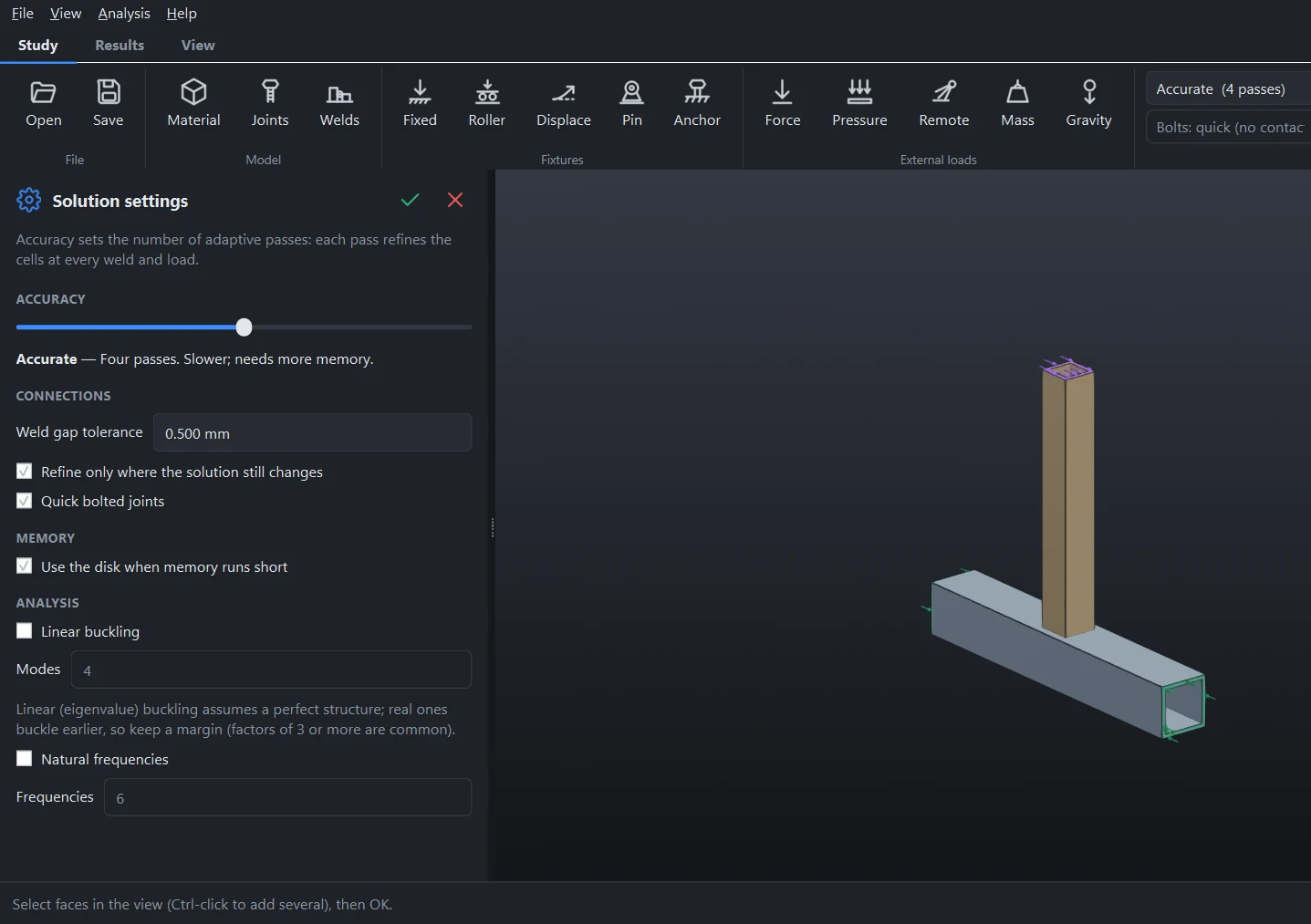
| Setting | What it does |
|---|---|
| Accuracy | The number of passes, as beside the Solve button. |
| Weld gap tolerance | Faces of different parts closer than this are joined. 0.5 mm as installed. |
| Refine only where the solution still changes | From the third pass, only the parts that are still changing are made finer. Much less memory and time on large frames. On as installed. |
| Quick bolted joints | See Joints. |
| Use the disk when memory runs short | A pass that needs more memory than is free is solved all the same, with Windows making room on disk. Slower while it does. Off: such a pass is not started, and the last one that fitted is kept. |
| Linear buckling, Natural frequencies | See Buckling and natural frequencies. |
A finer answer in one part
Right-click a part and choose Accuracy: Coarser, Default, Finer or Finest. That part is refined one or two steps ahead of the rest of the study, or one behind. Use it to get a fine answer in a critical bracket without paying for it across the whole frame.
Size, time and memory
- 16 GB of memory is comfortable for frames of a few dozen members at Standard. Large assemblies and the highest settings want 32 GB or more. No special graphics card is needed.
- Each pass is several times the size of the one before, so the last pass takes most of the time.
- If the next pass would not fit in memory, Gusset keeps the pass before it and says so in the verdict and the notes. Nothing is lost.
- A model exported from CAD as one body solves with far fewer unknowns than the same model as many parts.
If a solve is too slow or too large, see Troubleshooting.
Something wrong or missing on this page? Tell us.