 Gusset
Stress-check a welded frame
straight from your CAD.
Gusset opens a STEP assembly, finds the welds and bolted joints, and solves it without a mesh. You click what holds it and what loads it. It tells you the stress, the factor of safety, what every weld carries, and how far to trust the answer.
Hobby licence free for non-commercial use. No card needed.
The program itself, start to finish, on a 28-member welded frame. Half a minute, no sound.
From CAD file to answer in three steps
No meshing, no mid-surfaces, no beam elements to draw. The solid model you already have is the model that is solved.
Open the assembly
STEP, IGES or STL. Every solid body becomes a part. Touching parts are found and welded; holes that line up are bolted.
Hold it and load it
Click faces: fixed, roller, pin, anchor bolt. Forces, pressure, remote loads, masses, its own weight. A guided setup walks you through it if you like.
Solve and read it
Stress, displacement and factor of safety on the real geometry, a table for every part, weld and bolt, and a report to hand over.
The geometry is the model
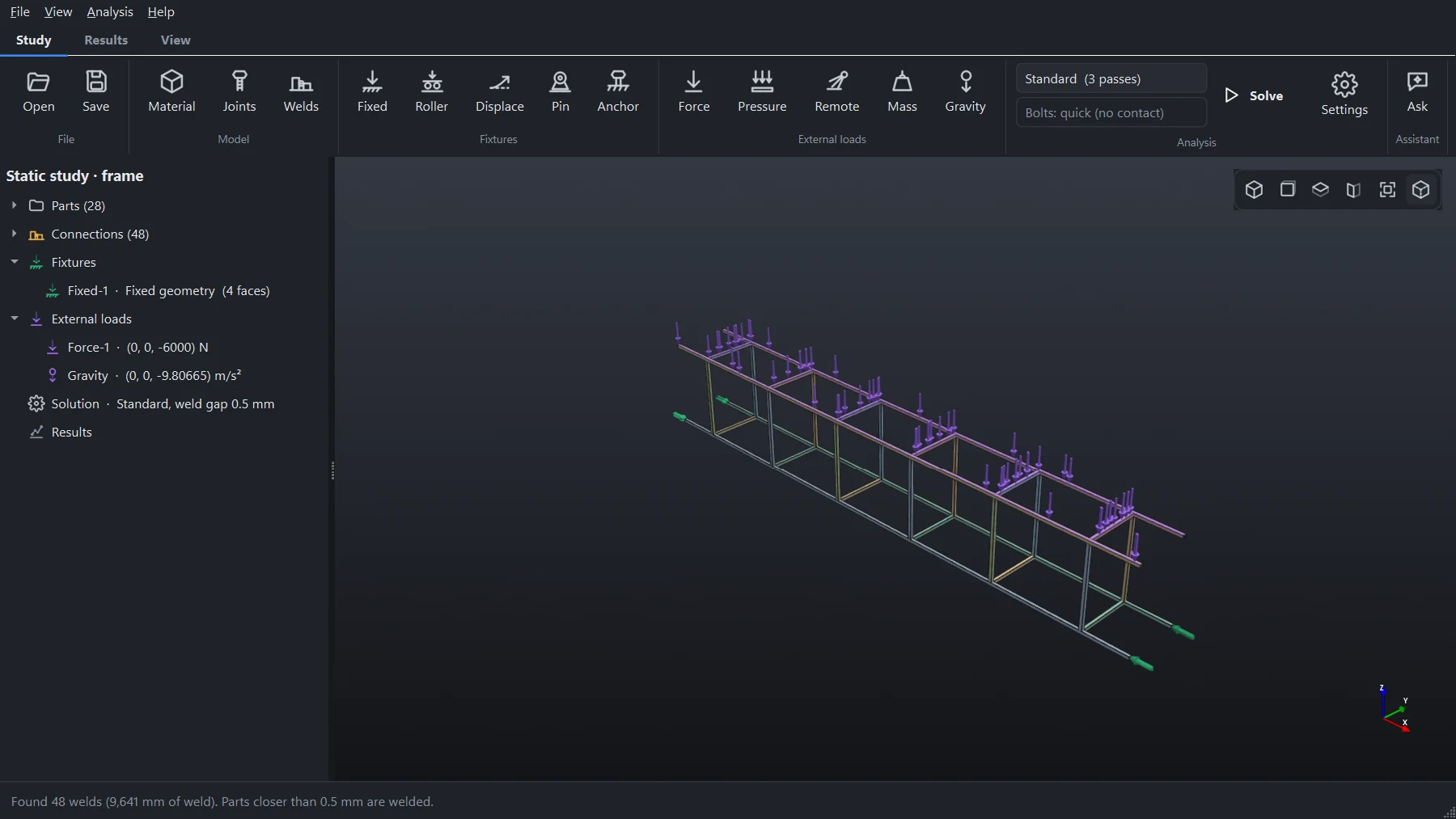
Gusset lays cells over each part and works out which bit of each cell is metal. Thin walls, small holes and awkward fillets do not need cleaning up first.
- Each part gets cells lined up with it and stretched along its walls
- Adaptive passes refine at welds, loads and supports
- Assemblies of hundreds of parts: a 273-part lattice boom has been run on a 16 GB laptop
Every weld and bolt, checked
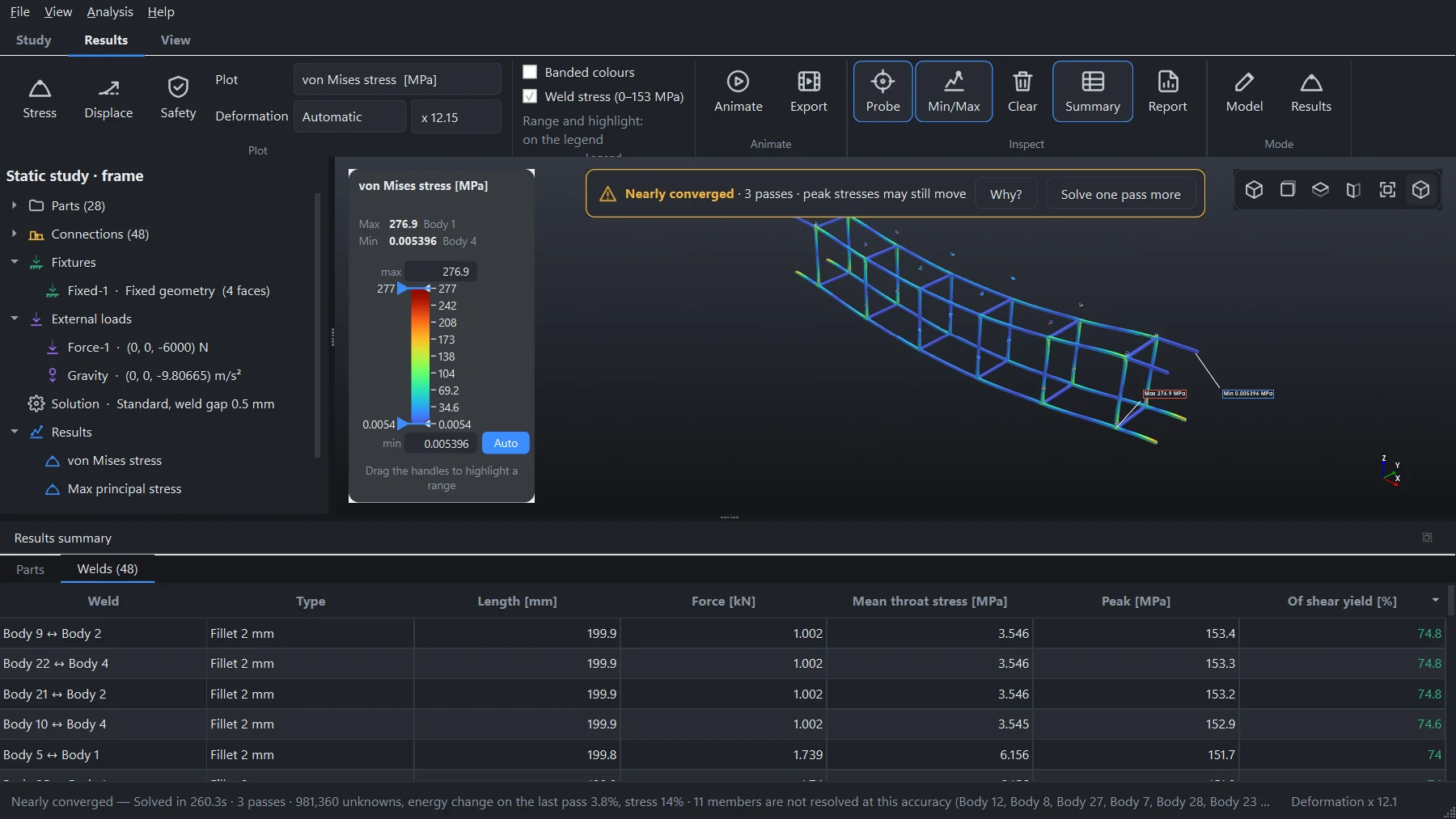
Welds are laid out as a fabricator would lay them: a fillet round the edge of the touching face, sized from the thinner part. You can set any of them yourself.
- Force through each weld and its throat stress against the parent metal's shear yield
- Bolts found from holes: tension against proof load, shear, and whether the joint would slip
- Stitch welds, butt welds, your own leg sizes
- A weld guide for the fabricator, as a PDF
It tells you when not to trust it
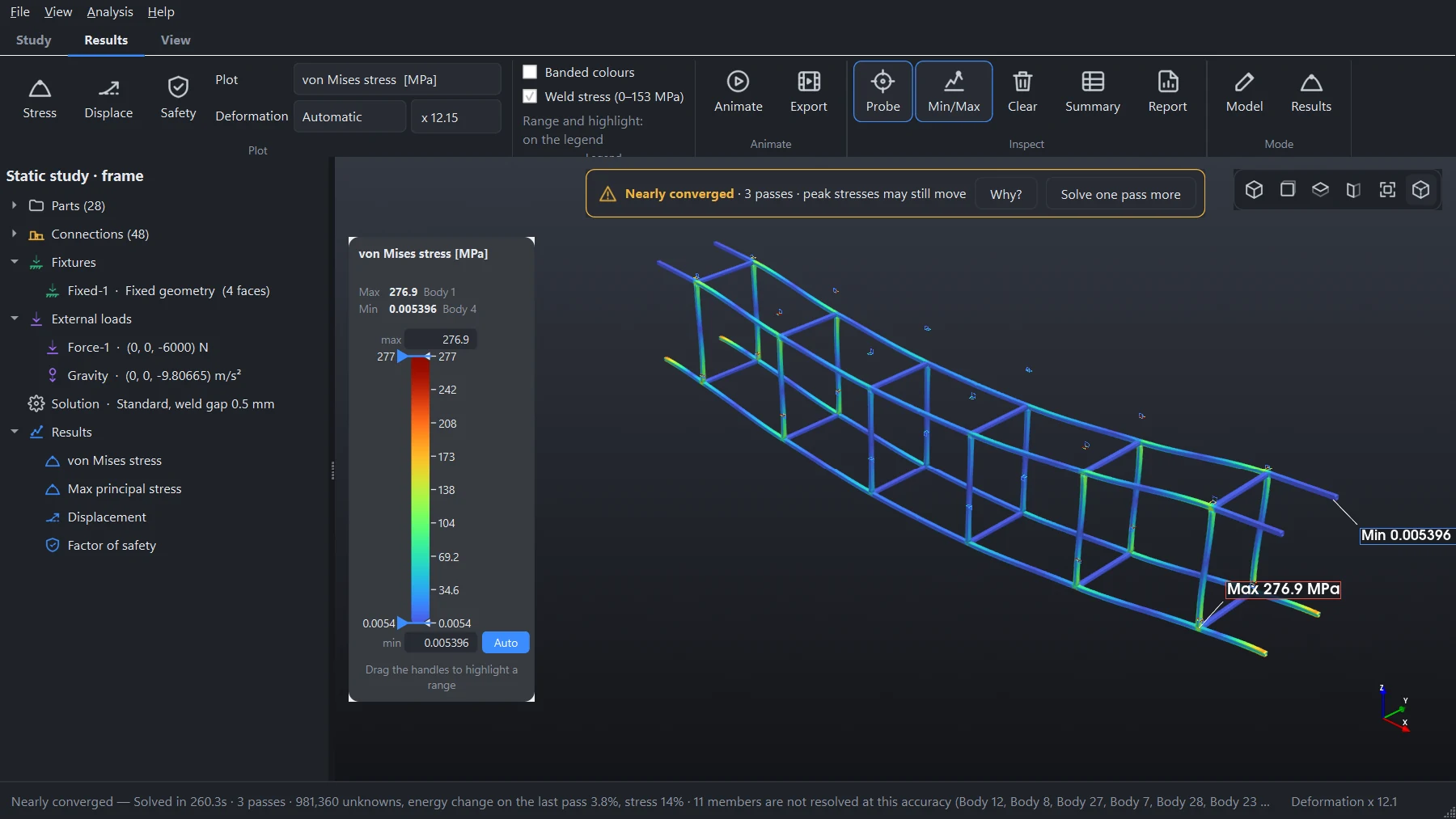
A model that is too coarse is too stiff, and its stresses come out low. Most programs leave you to find that out. Gusset says so over the results.
- Converged, nearly converged or not converged, with the reasons
- Judged on the change in stress between passes, not only energy
- Peaks at weld roots flagged as singular, not reported as real
- One click to solve a pass more
Something to hand over
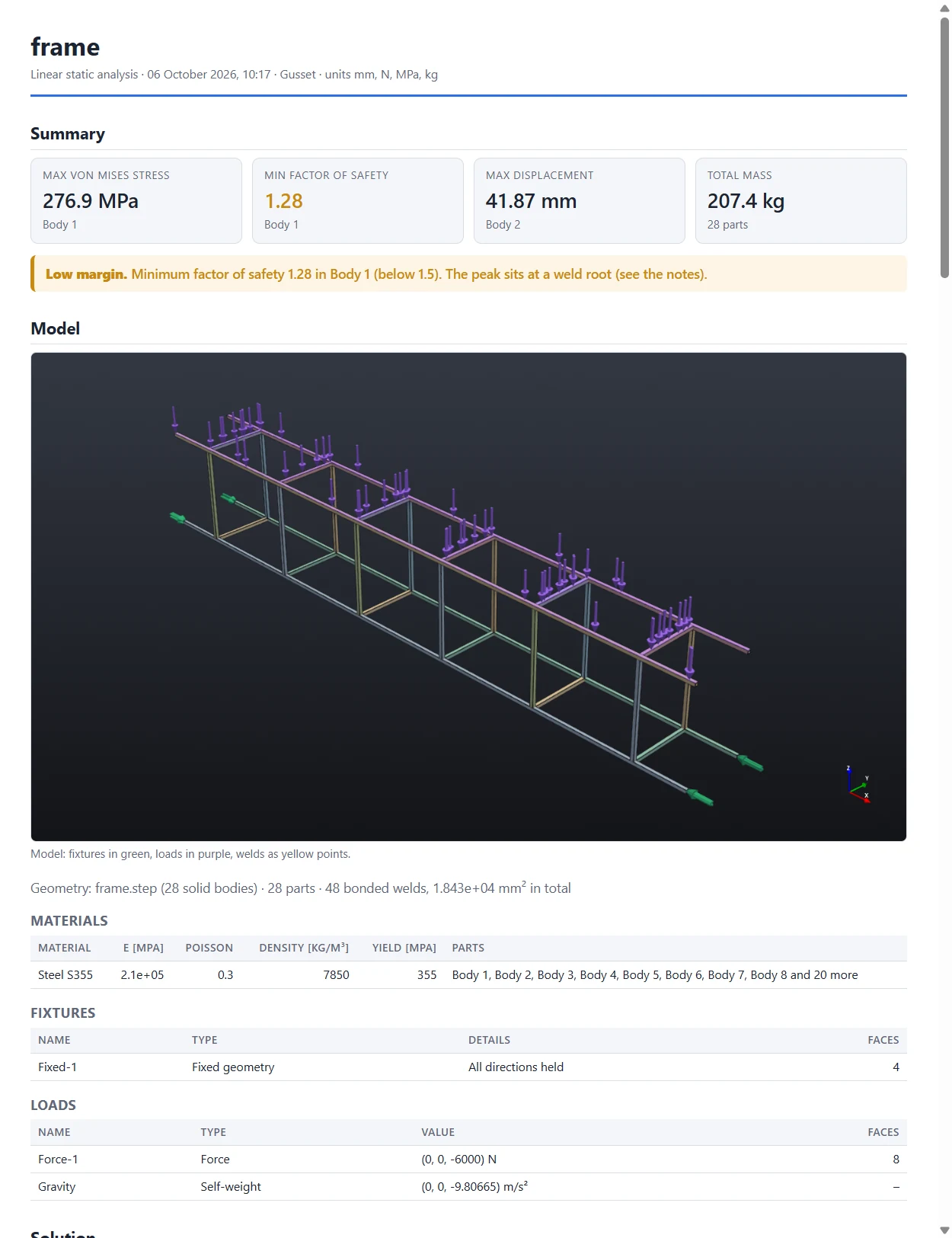
One click writes the report as a web page or PDF: the model, what holds and loads it, materials, plots, the table of parts, welds and bolts, the convergence history and every note the solver made.
- Factor of safety against yield for every part
- Probe values at the points you clicked
- Animations of the loading as GIF or MP4
What is in the box
Linear static stress
von Mises and principal stress, displacement, factor of safety. Steel, stainless, aluminium, titanium and cast iron built in; add your own.
Linear buckling
Load factors and mode shapes about the static solution, for slender frames and columns.
Real supports
Fixed and sliding faces, pins free to turn, anchor bolts with washers, prescribed displacements.
Real loads
Forces, pressure, a force and moment at a remote point, hung masses, self-weight in any direction.
Bolted joints two ways
Quick, for the pull and shear at each bolt in seconds. Or contact and preload, for pressure between the plates and where the joint opens.
Made to be read
Min and max pointed out on the model, a legend you can drag to show only what is above a limit, mouse controls set up like the CAD you use.
What it is not
Gusset does linear static analysis and linear buckling. It does not do plasticity, large deflections, fatigue, vibration, impact or heat. It runs on Windows. It is a tool for an engineer's judgement and does not replace it.
Your models stay with you
Everything is solved on your own computer. No model, load or result is uploaded. The account holds your e-mail address and which licence you have, and that is all.
Checked against known answers
Every case below runs through the program the way you would run it: STEP file in, faces clicked, adaptive passes. The misses are published with the hits.
| Case | What is compared | Standard (3 passes) | Accurate (4) |
|---|---|---|---|
| Cantilever, RHS 100×50×4 | Tip deflection / bending stress | −0.10% / −0.10% | same |
| Cantilever, round tube 88.9×4 | Tip deflection / bending stress | −0.19% / +0.03% | same |
| Round tube in torsion | Twist / shear stress | 0.00% / +0.03% | same |
| RHS under its own weight, 4 m | Tip deflection / bending stress | −0.12% / −0.27% | same |
| Plate with a hole | Peak stress at the hole | +2.60% | +0.70% |
| Thick cylinder (Lamé) | Hoop stress at the bore | −1.74% | +0.78% |
| Column (Euler) | Buckling load factor | −0.08% | −0.08% |
| NAFEMS benchmark | What is compared | Result at the last pass |
|---|---|---|
| LE1 elliptic membrane | Stress at point D | +0.34% |
| LE5 Z-section in torsion | Stress at point A | +1.41% (−15% at three passes, and it says so) |
| LE6 skew plate | Principal stress at the centre | −3.07% |
| LE10 thick plate | Stress at point D | −1.16% |
Stresses at holes and bores close in as passes are added; a thin open section in torsion needs more than the standard three. Read the full verification document (PDF).
One program, two licences
The same solver in both. The difference is what you may use it for.
Hobby
- The whole program: every analysis, every model size
- For learning, study and your own projects
- Two computers
- Not for work you are paid for
- Reports, pictures and animations marked “Hobby licence”
Pro
- Commercial use: client work, products, quotes
- Clean reports, weld guides, pictures and animations
- Two computers: desk and laptop
- Every update while you subscribe
- Help by e-mail
Pay by card or PayPal through Paddle, our payment partner. Cancel whenever you like; Pro runs to the end of the year you paid for. Not happy in the first 14 days? Ask for your money back.
Questions
What computer do I need?
Windows 10 or 11, 64-bit, with about 2 GB of disk space. 16 GB of memory is comfortable for frames of a few dozen members at the standard setting; large assemblies and the highest accuracy settings want 32 GB or more. No special graphics card is needed.
Which files does it open?
STEP and IGES from any CAD system (SolidWorks, Inventor, Fusion, Onshape, FreeCAD and the rest), and mesh files such as STL and OBJ. Export the assembly as solid bodies; each body becomes a part.
How is this different from ordinary FEA?
There is no mesh to make. Ordinary finite element programs need the geometry cut into elements that follow its surface, which on a welded frame usually means simplifying it to beams or shells first. Gusset works on the solid model as it is and puts the effort where the joints are.
Can I rely on the results?
Treat them as you would any calculation: as an aid to your own judgement. The checks above show how close it comes on problems with known answers, and the program tells you when a result has not settled. Stresses at sharp corners and weld roots are singular in any elastic analysis and are flagged. Anything safety-critical should be checked independently by a qualified engineer.
May I use the Hobby licence at work?
No. Hobby is for learning, study and your own unpaid projects. If the work earns money, or is for an employer or a client, it needs Pro. You are welcome to try Gusset on Hobby before you buy.
Does it need the internet?
Only to sign in and, every so often, to renew the licence in the background. It runs for two weeks without a connection. Your models never leave your computer.
What happens if I stop paying for Pro?
Your account goes back to Hobby at the end of the period you paid for. The program and your saved studies keep working; what you export is marked as Hobby, and commercial use stops.
How do I sign in?
With your Google account, or with a link sent to your e-mail address. There is no password to remember. The program opens your browser, you sign in, and it is ready.
Try it on your own frame
Download it, open a STEP file, and see the answer. It costs nothing to find out.