 Gusset
Documentation › Reports and exports
Reports and exports
Getting the results out of the program: a report, pictures, animations and the weld guide.
The report
Choose Report on the Results tab, or File › Export report (Ctrl+R), and save it as a web page or a PDF.
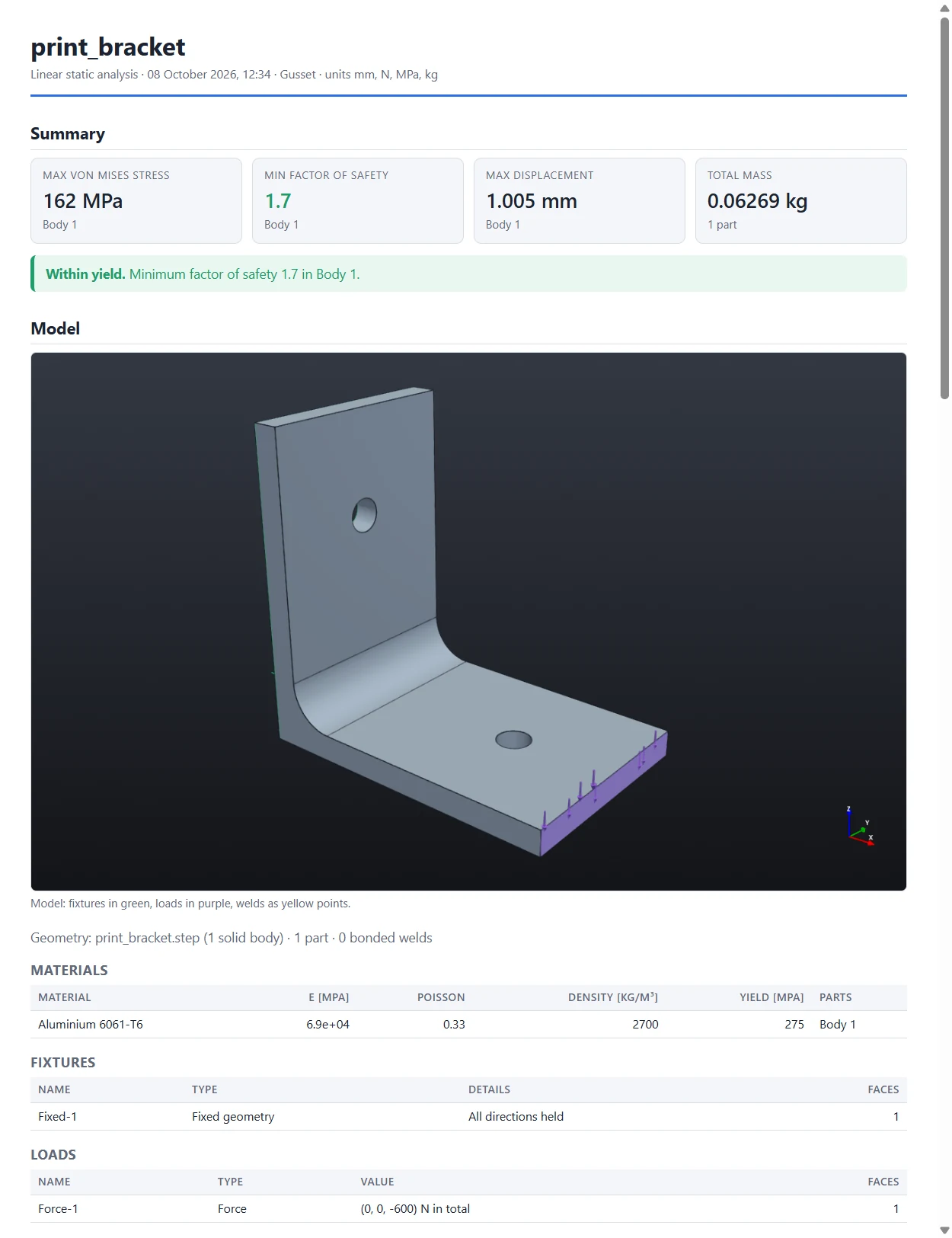
It holds:
- a summary and a verdict on the factor of safety;
- a picture of the model, the materials, the fixtures and the loads;
- the convergence of the solution pass by pass, with the verdict and a warning when it has not settled;
- plots of stress, displacement and factor of safety, from the direction you are looking in;
- the table of parts, and of welds and bolts when there are any;
- the reactions at the fixtures;
- buckling factors and natural frequencies, when you asked for them;
- the values at your probes;
- the assumptions behind the numbers, and every note the solver made.
Turn the model to the view you want before exporting: the plots are drawn from that direction. The web page is one file with its pictures inside it, so it can be e-mailed as it is.
Pictures
File › Export image saves the view as it is, legend included.
Animations
Export in the Animate group, or File › Export animation, saves the loading played from nothing to the full load and back, in the current view with its legend, as an animated GIF or an MP4 video.
The weld guide
File › Export weld guide writes a PDF for the fabricator. See Joints.
The Hobby mark
Under the free Hobby licence, reports, pictures, animations and weld guides carry the words “Hobby licence · not for commercial use”. Under Pro they carry no mark. See Pricing.
Something wrong or missing on this page? Tell us.